Before Redesign
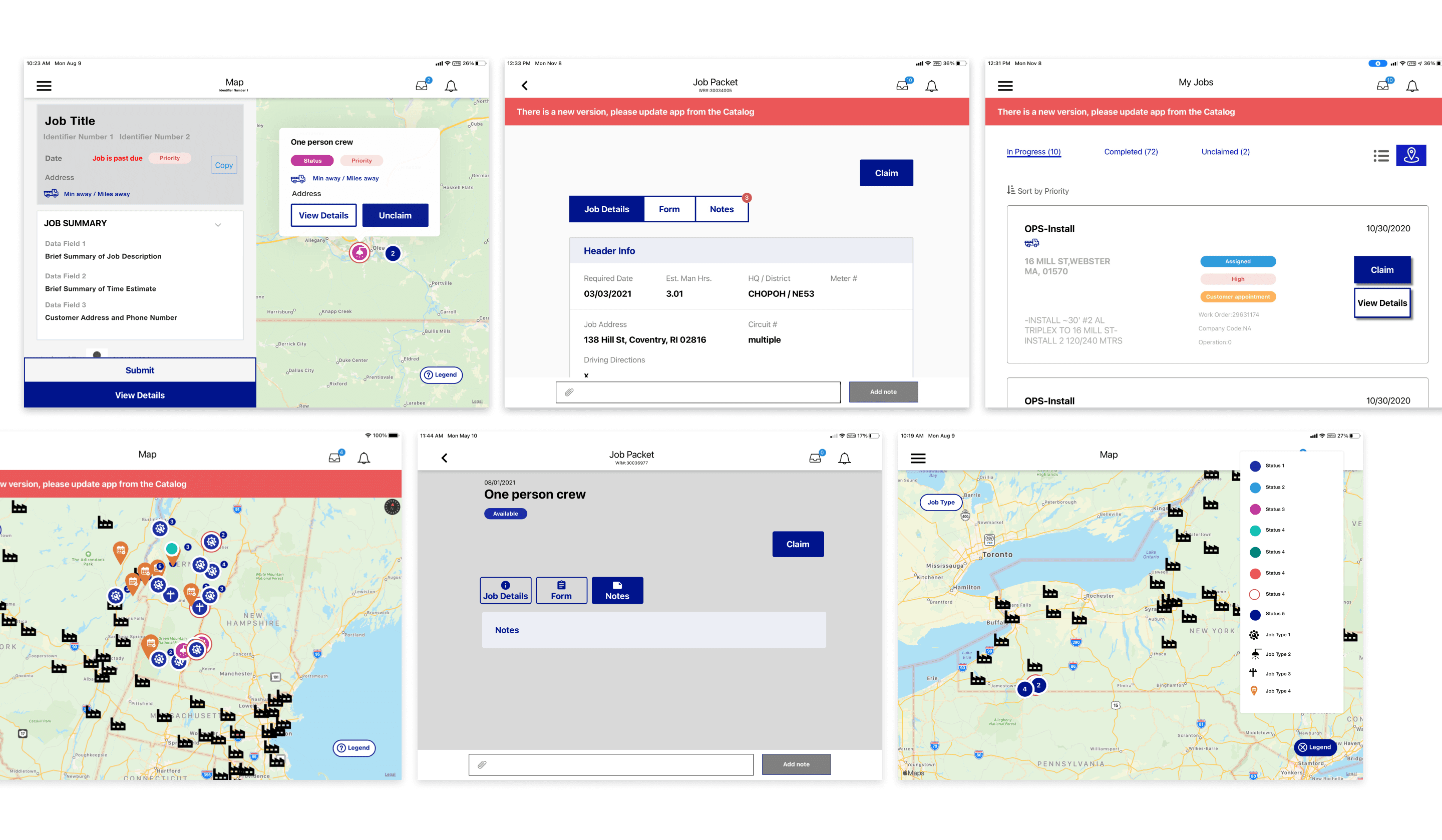
Overview
National Grid's Field Force App gives crew members a way to locate and complete work orders in the field — but the existing experience was creating friction rather than reducing it. I led the UX research and redesign effort, moving from a cluttered, low-trust interface to one built around how crews actually work.
Role
Product Designer
Timeline
2025
Team
Product · Engineering · Field operations stakeholders
Scope
Tablet app redesign · UX research · Prototype testing
Problem Statement
The Field Force App allows National Grid crew members employed in the field to locate requests to complete work. The decision was pre-defined to go in the direction of a tablet application as the primary tool to facilitate these interactions.
Root Causes
Weak visual hierarchy The interface gave equal visual weight to everything, leaving users to determine on their own what mattered most.
Cluttered UI reducing task performance Visual noise was getting in the way of the core workflow — find work, complete it, move on.
Mental model mismatch The app's structure didn't reflect how crews expected modern apps to work, creating unnecessary learning overhead.
Wrong information prioritized The most prominently displayed data wasn't what crews needed to make decisions and complete tasks efficiently.
Untapped visual design fundamentals Applying basic principles — contrast, grouping, hierarchy — had clear potential to reduce cognitive load and improve adoption.
Qualitative Research
Research focused on four key areas: the challenges and barriers crew members faced with app adoption, what made for a great experience in the field, which needs were and weren't being met, and how crews were currently interacting with technology on the job. We also gathered direct feedback on lo-fi and mid-fi prototypes.
“Crews can spend an entire day in the field without returning to base. The ability to select jobs geographically and plan a route isn't a convenience — it's how the work gets done.”
— Visual Planning
“Core frustrations traced back to arriving at locations that couldn't be serviced due to inaccurate data. Leaving notes for fellow crew members was one of the most valued tools for coordination and efficiency.”
— Teamwork to Drive Efficiency
“Some users actively avoided new processes. The redesign had to match the conventions crews already expected — not introduce new patterns that required relearning.”
— Energy Investment
“The crew's primary goal is selecting jobs and submitting work for completion. Inaccurate data and time-consuming job browsing were directly undermining that — accuracy wasn't a nice-to-have, it was the job.”
— Accuracy Is Key
Key Insight
Crew members weren't resisting the app — they were resisting an app that didn't respect how they work. Route planning, data accuracy, and teammate coordination weren't feature requests. They were the job.
Business Goals
Increase task success & completion and minimize time spent on task
Establish trust and credibility through reliable performance and enhanced usability
Eliminate unnecessary paper use via company-provided iPads
Reduce & prevent errors and reduce the work required to accomplish tasks
Increase usage among areas with low adoption
Process
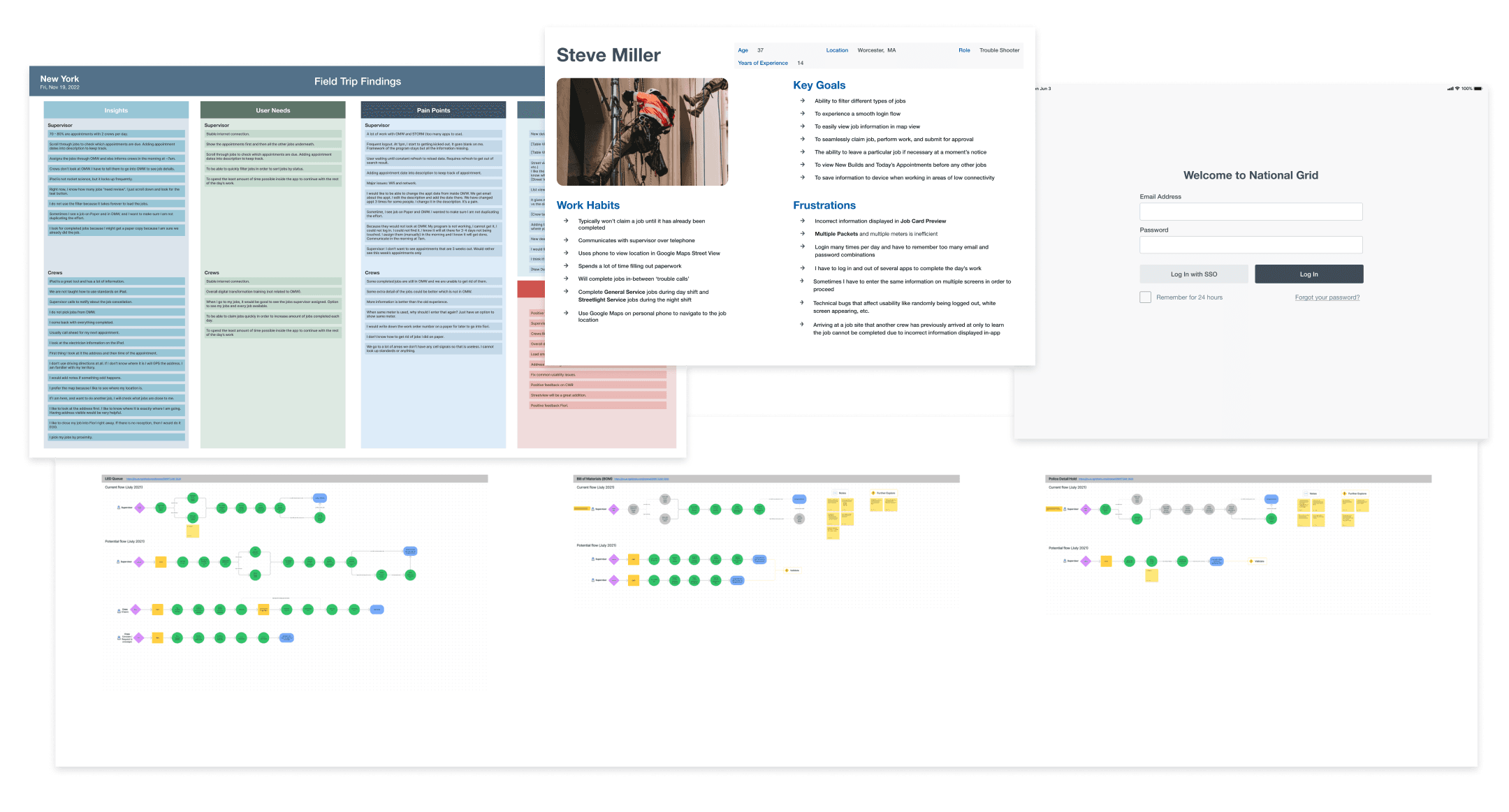
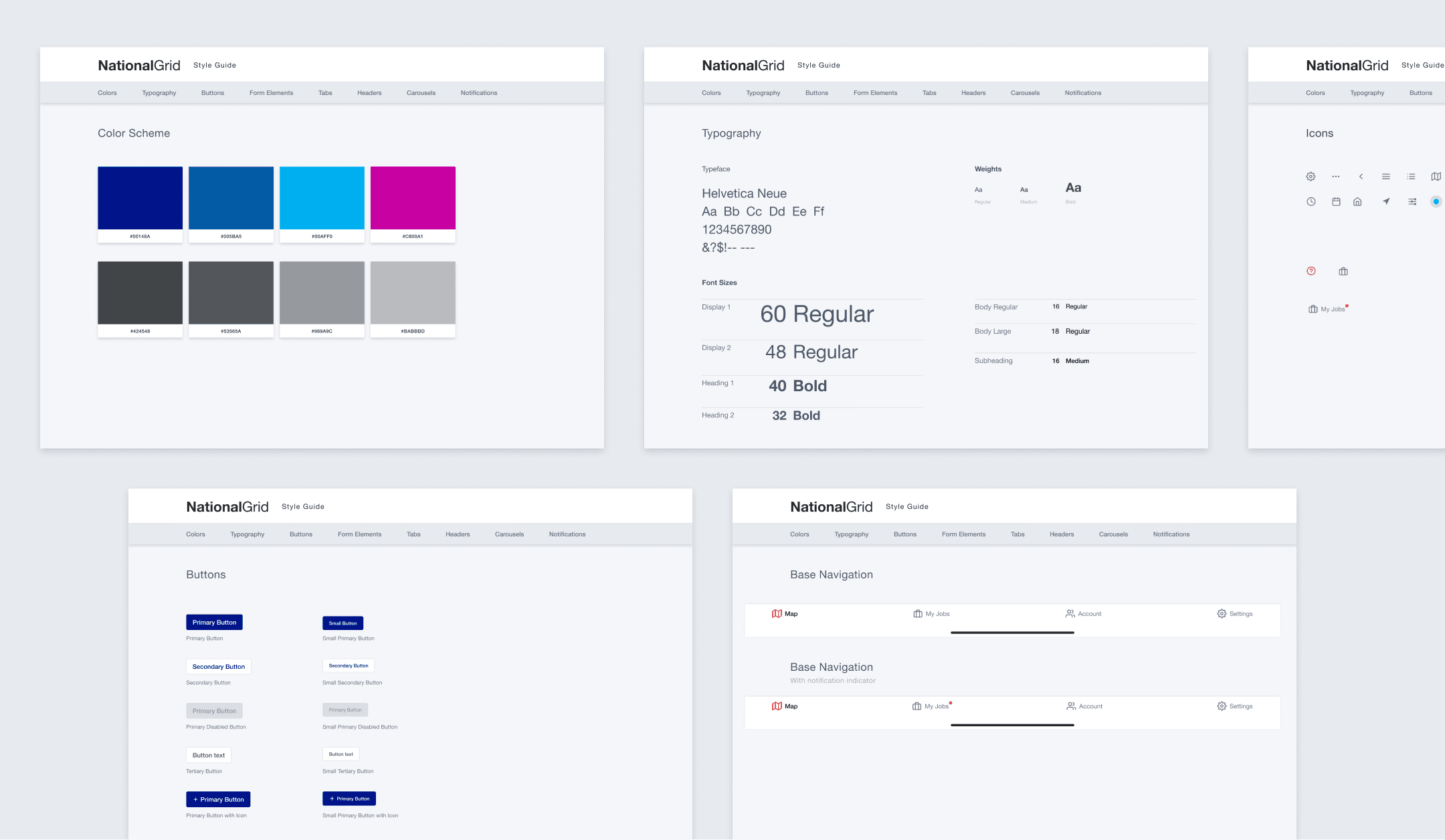
Research mapped the core user flows and built out a persona grounded in field observations. From there I developed a styleguide to establish visual cohesion before moving into high-fidelity design — ensuring every component decision had a system behind it.
Solution
Home Screen
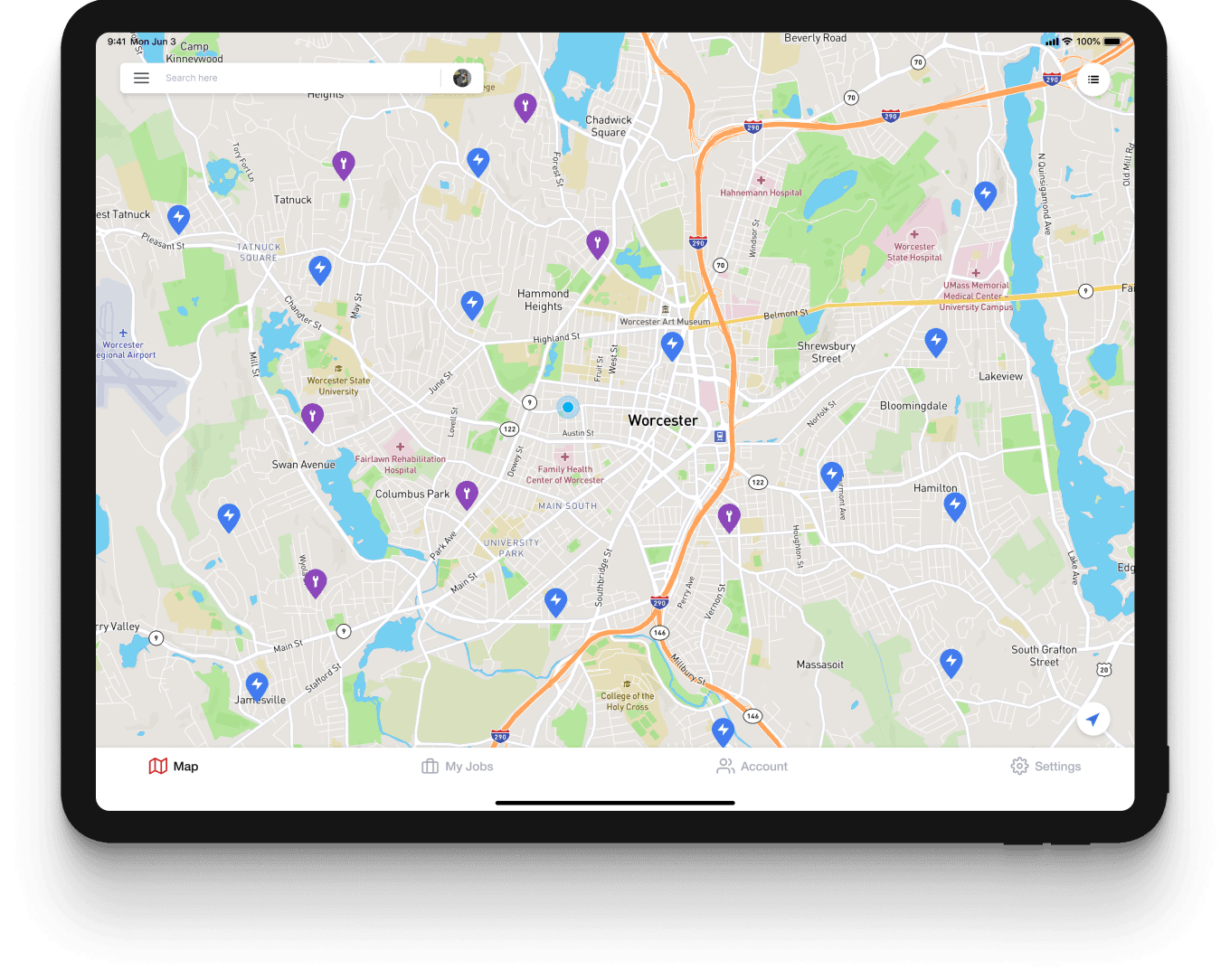
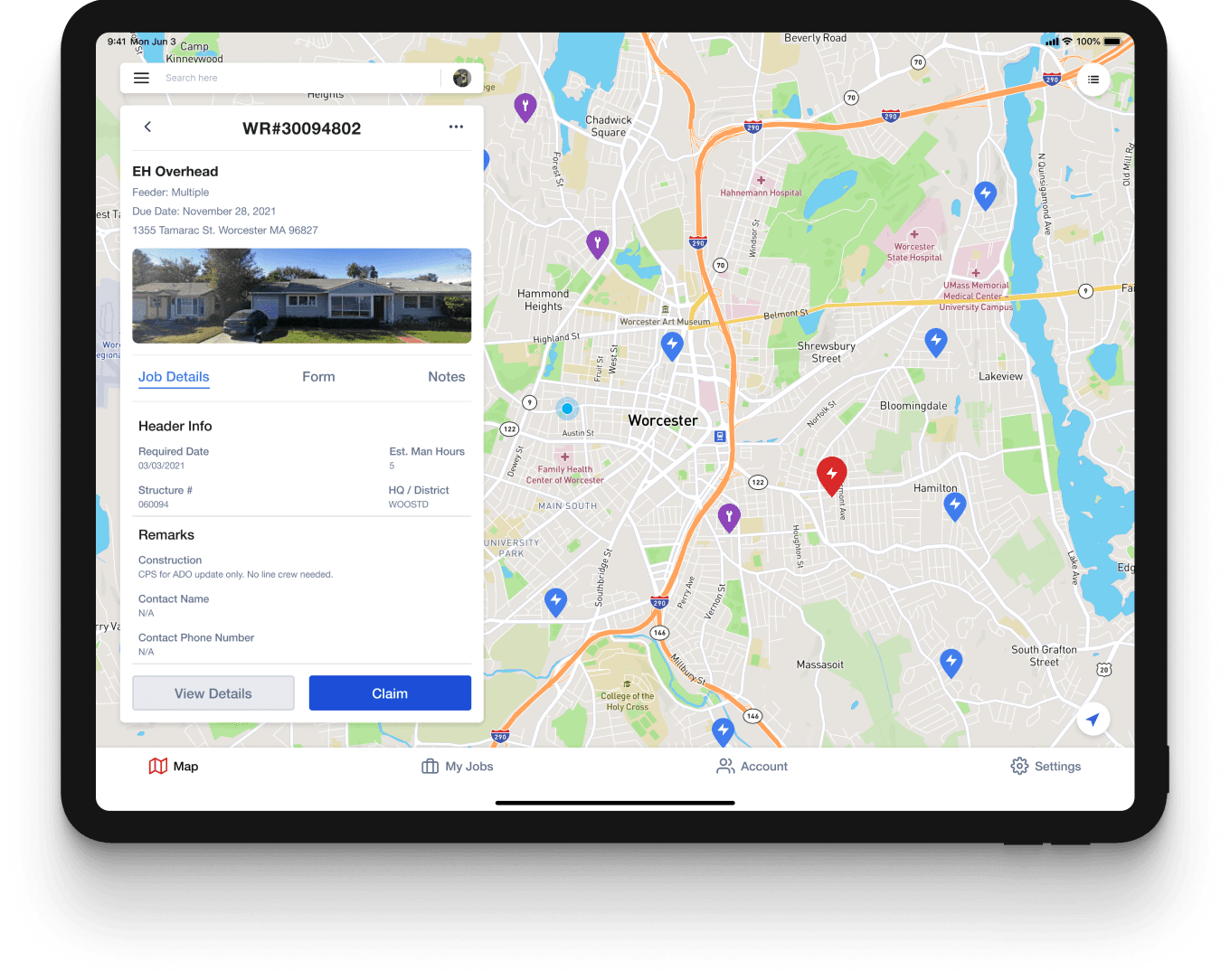
The redesigned home screen eliminated visual noise and maximized usable screen real estate — reducing cognitive load and directing crew members immediately to what mattered most: finding and completing jobs.
Simple
Field crews don't need complexity — they need accurate, immediately actionable information that supports fast decision-making.
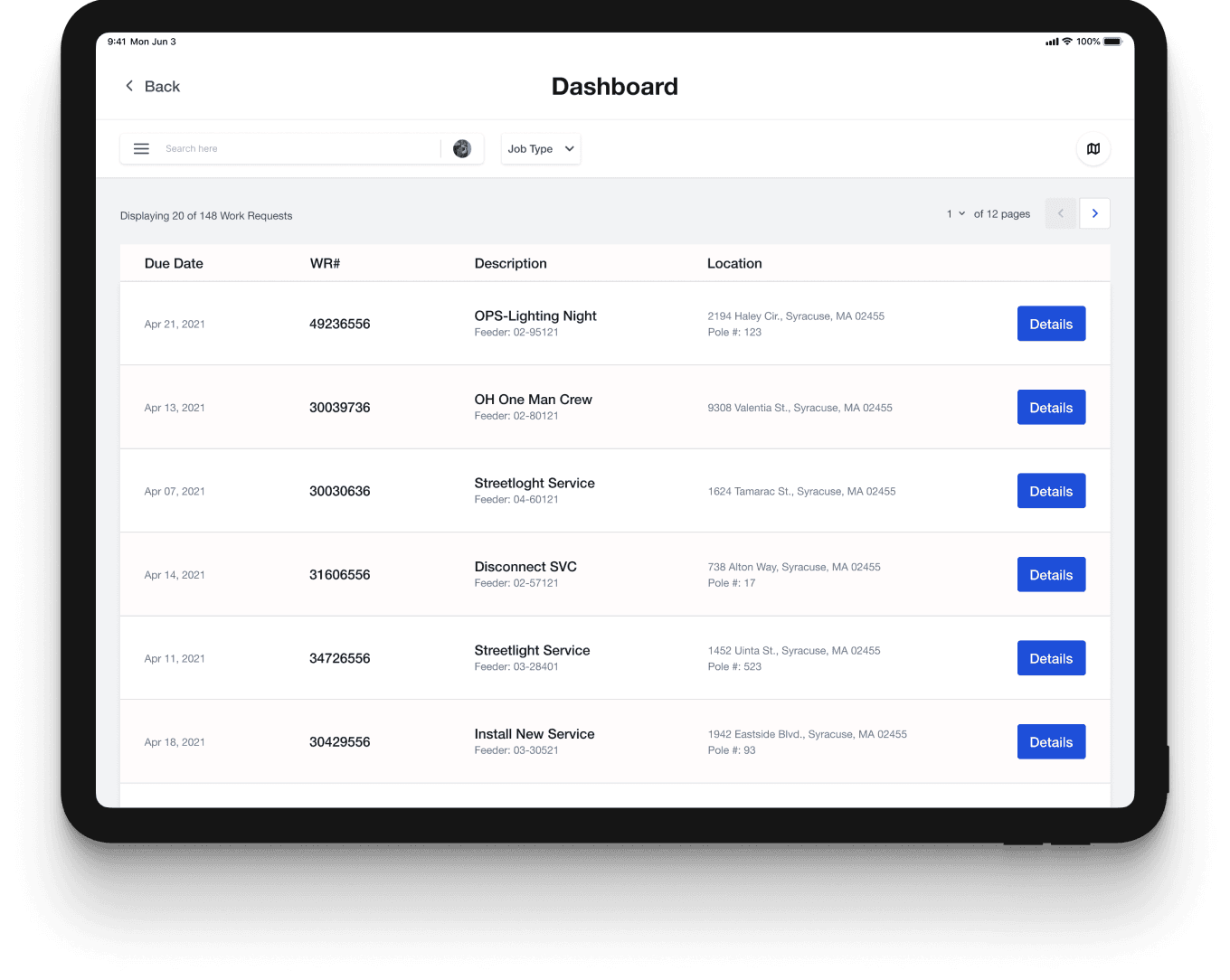
List View
Research yielded overwhelming results that called for an alternative to the traditional map view, which ultimately became a table-like view containing the information users declared was most important to know.
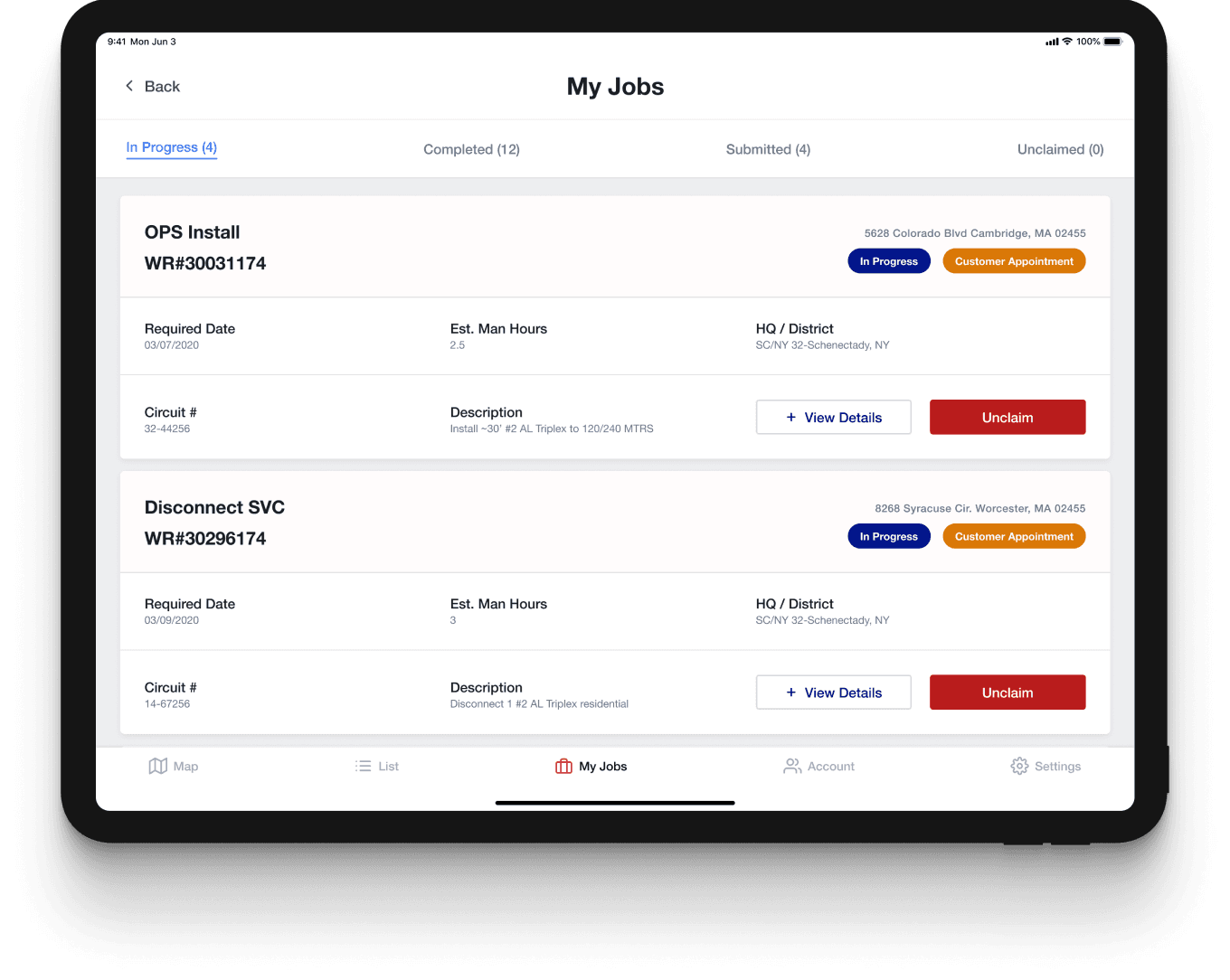
Revamp
Crews are frequently pulled away from active jobs to handle urgent or emergency calls. An organized view of jobs in progress gives users the context they need to prioritize where to go next.
Outcome
Redesigned the Field Force tablet app around four validated crew needs — improving task clarity, reducing visual clutter, and establishing a foundation for higher adoption across low-usage areas.