Role
Founding Product Designer
Timeline
Feb 2023 – Jan 2026
Team
2 PMs · 1 eng lead · 3 frontend engineers
Scope
All three product surfaces · Design system · Research & testing
The Problem
Three user groups with completely different mental models, workflows, and technical literacy — and a greenfield platform with nothing built yet. Care liaisons were manually reviewing hundreds of ineligible patients with no way to filter or prioritize. Biometric nurses were rebuilding repetitive documentation from scratch each shift. Patients with little to no tech experience were being asked to manage their own clinical data. No design system, no established patterns, no prior designer.
Business Goals
Increase Hospital Capacity
Reduce inpatient stays by 10% by enabling eligible patients to continue recovery at home, freeing up hospital beds for higher-acuity cases.
Improve Operational Efficiency
Streamline remote patient monitoring for nurses and care teams, reducing time spent on administrative workload and manual check-ins by 30%.
Enhance Patient Outcomes and Satisfaction
Support faster recovery and maintain patient satisfaction scores of 4 out of 5 or better through continuous biometric tracking and personalized care in the comfort of home.
Process
Early Market Validation
Why does this product need to exist?
- Stakeholder interviews
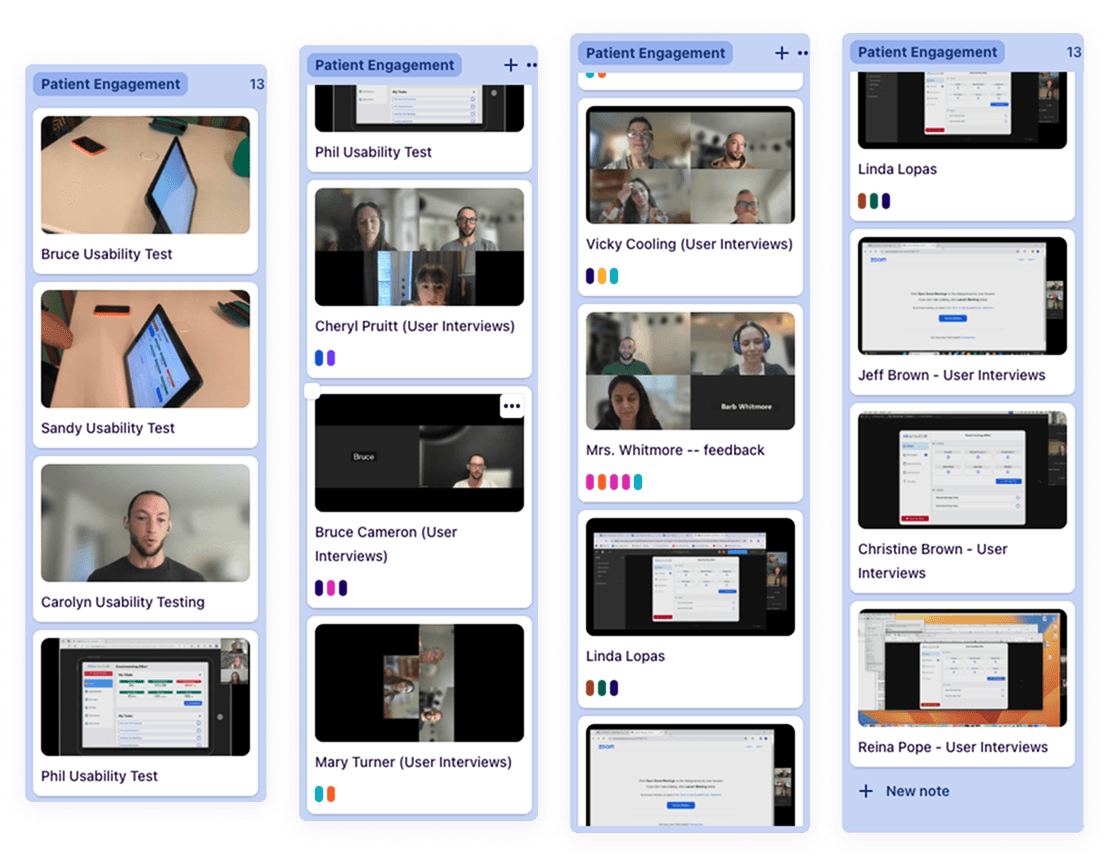
- User interviews
- Competitor analysis
Proof of Concept
Is this something we can solve for the user?
- Prototyping
- Concept testing
- Usability testing
Prototype & Develop
How should we actually build the solution?
- IA mapping
- Prototyping
- Usability testing
Minimum Viable Product
Is our solution something people actually want?
- User interviews
- Surveys
- In-app feedback
What We Heard
“I'm not very tech-savvy, so at first I was nervous about using the iPad — but once I saw how easy it was to check my readings and send them to the nurse, it actually made me feel more in control of my recovery.”
— Gil, former patient
Patients need reassurance and simplicity
Many patients felt anxious about using new technology, highlighting the importance of clear guidance, simple navigation, and ongoing support to build confidence.
Patients want meaningful connection with their care team
Patients valued knowing that their nurses could easily see their readings and check in when needed, which made them feel supported and secure while recovering at home.
Act 01 · Salesforce App
Liaison
40% reduction in triage time.
I went field-level into Epic EMR data to identify which patient signals actually predicted program fit. That validation shaped both the AI/ML pre-filtering inputs — removing hard disqualifications before liaisons ever saw a list — and the UI's prioritization order, so liaisons worked highest-fit patients first.
Key Insights
- 01
EMR field validation revealed which patient signals actually predicted program fit — directly shaping the AI/ML filtering inputs and the triage UI hierarchy.
- 02
Liaisons were spending most of their time on patients who would never qualify — the biggest UX gain was upstream filtering, not interface polish.
- 03
Patient enrollment drop-off traced to distrust and unclear value, not clinical hesitation — which reframed the entire iOS onboarding design problem.
Act 02 · Salesforce Dashboard
Biometric Nurse
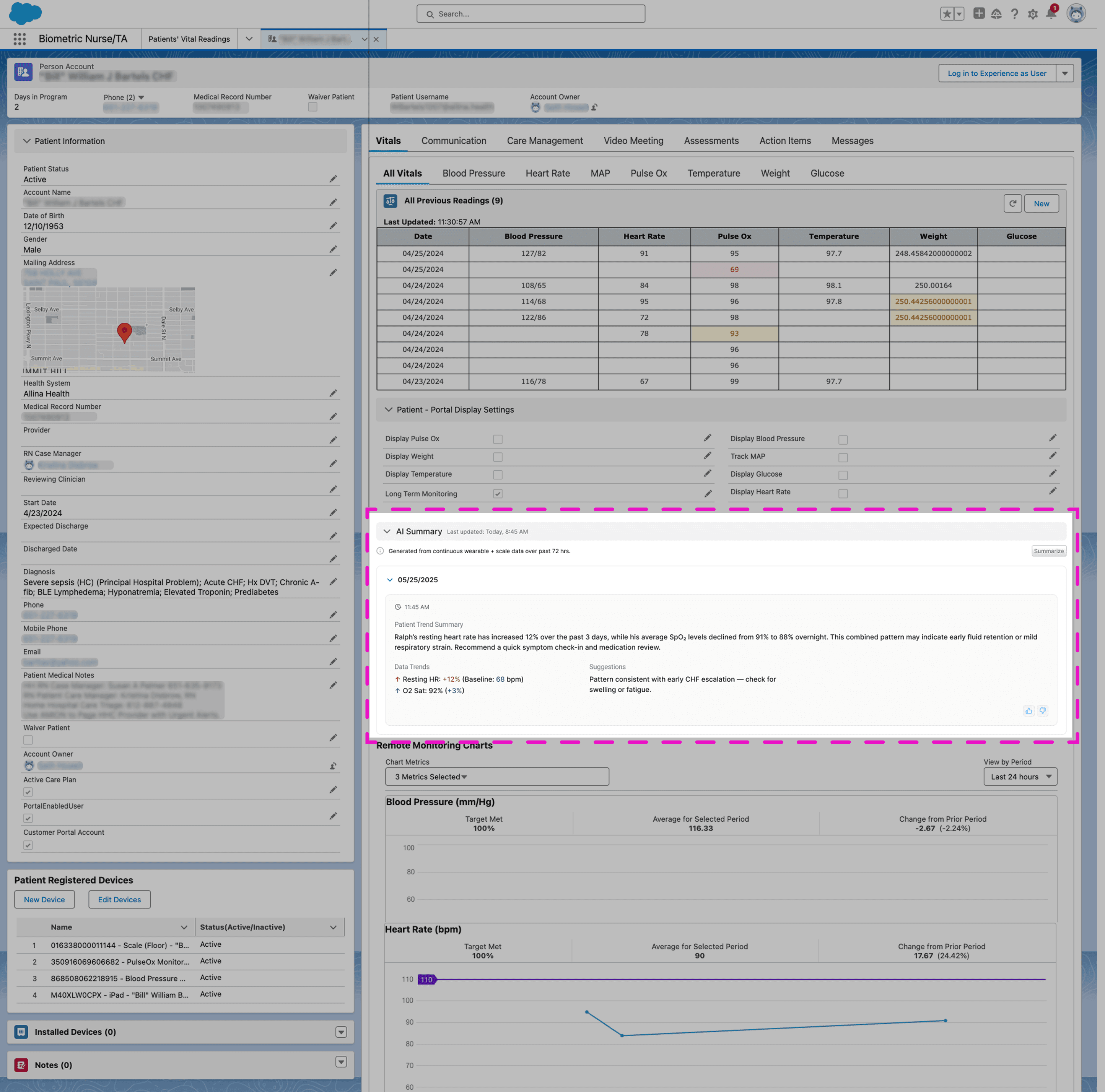
Less time on paperwork. More time on patients.
Salesforce is not a blank canvas — every interaction had to work within its component system. I designed an AI-generated patient summary that surfaced the right clinical context at the start of each shift, giving nurses a single read-before-you-enter view instead of piecing together data across multiple records.
Act 03 · Custom iOS App
Patient
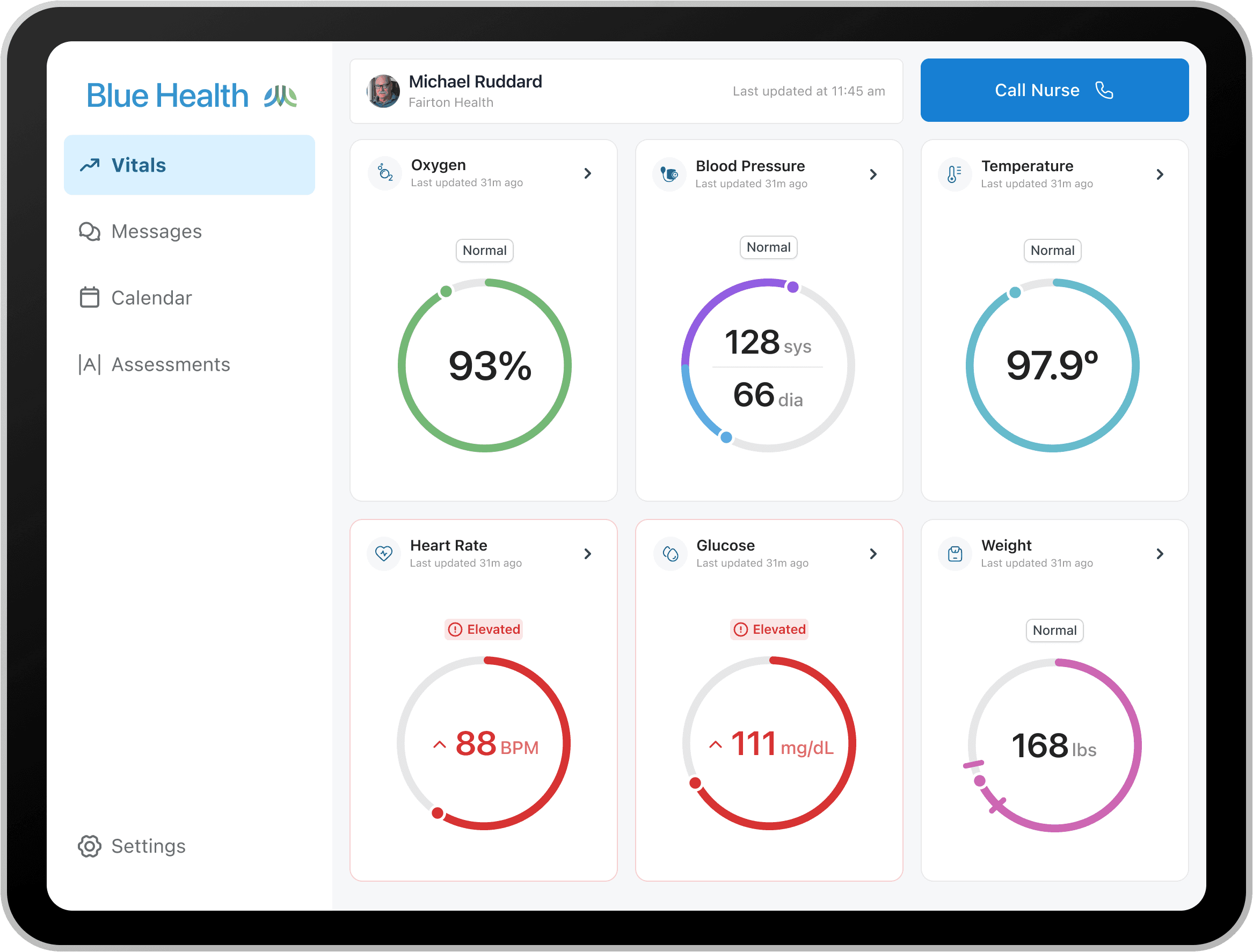
Patient satisfaction held at 4/5 or better through the full care episode.
Eligible patients were declining to enroll — not from clinical hesitation, but because they didn't trust the product or understand its value. I redesigned onboarding around that trust gap, addressing the specific barriers causing drop-off before a single vital was ever submitted.
What We Tested
Navigation
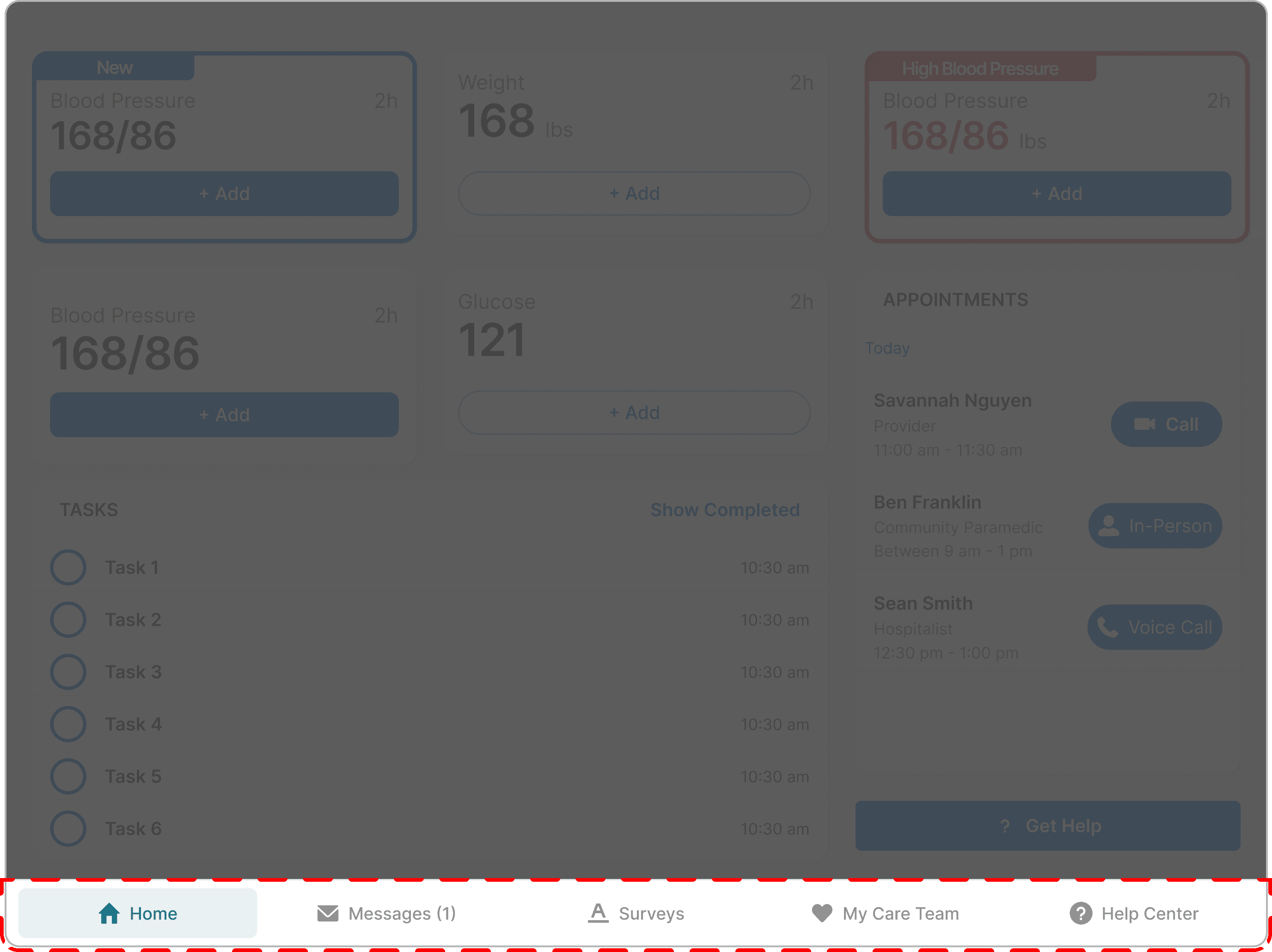
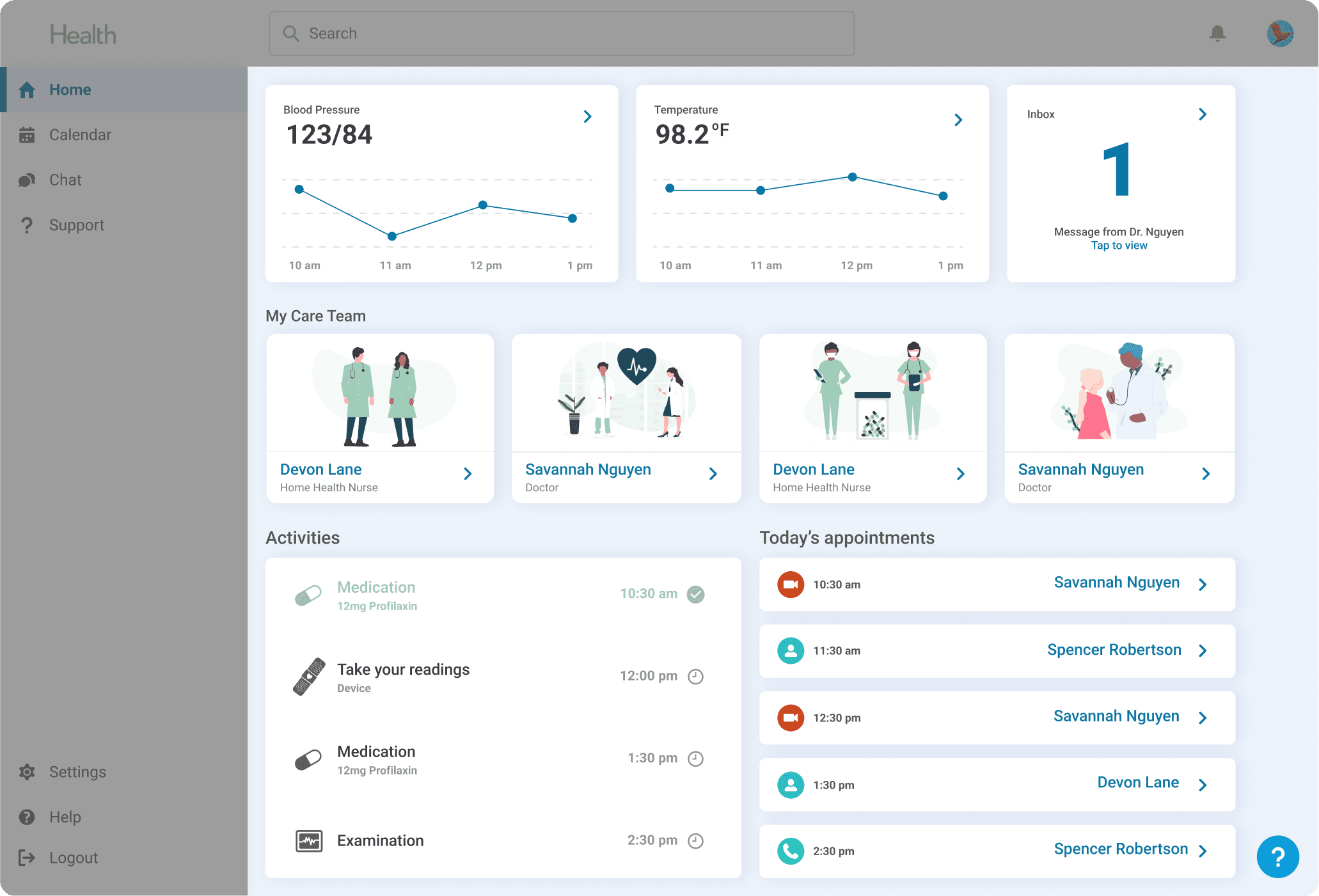
I initially hypothesized that a bottom navigation was superior because it would allow for more space to display items on-screen, but in user testing, 3 of 4 users failed to identify navigation menu items when tasked with navigating to other pages in-app, which resulted in further concepts using a left navigation.
Care Episode Overview
One concept hypothesized that a wholistic, all-in-one view of items related to the patient's care episode could eliminate the need to navigate away from the home page by displaying all relevant information. However, I ultimately learned that patients preferred simplicity and predictability above all else.
Solution
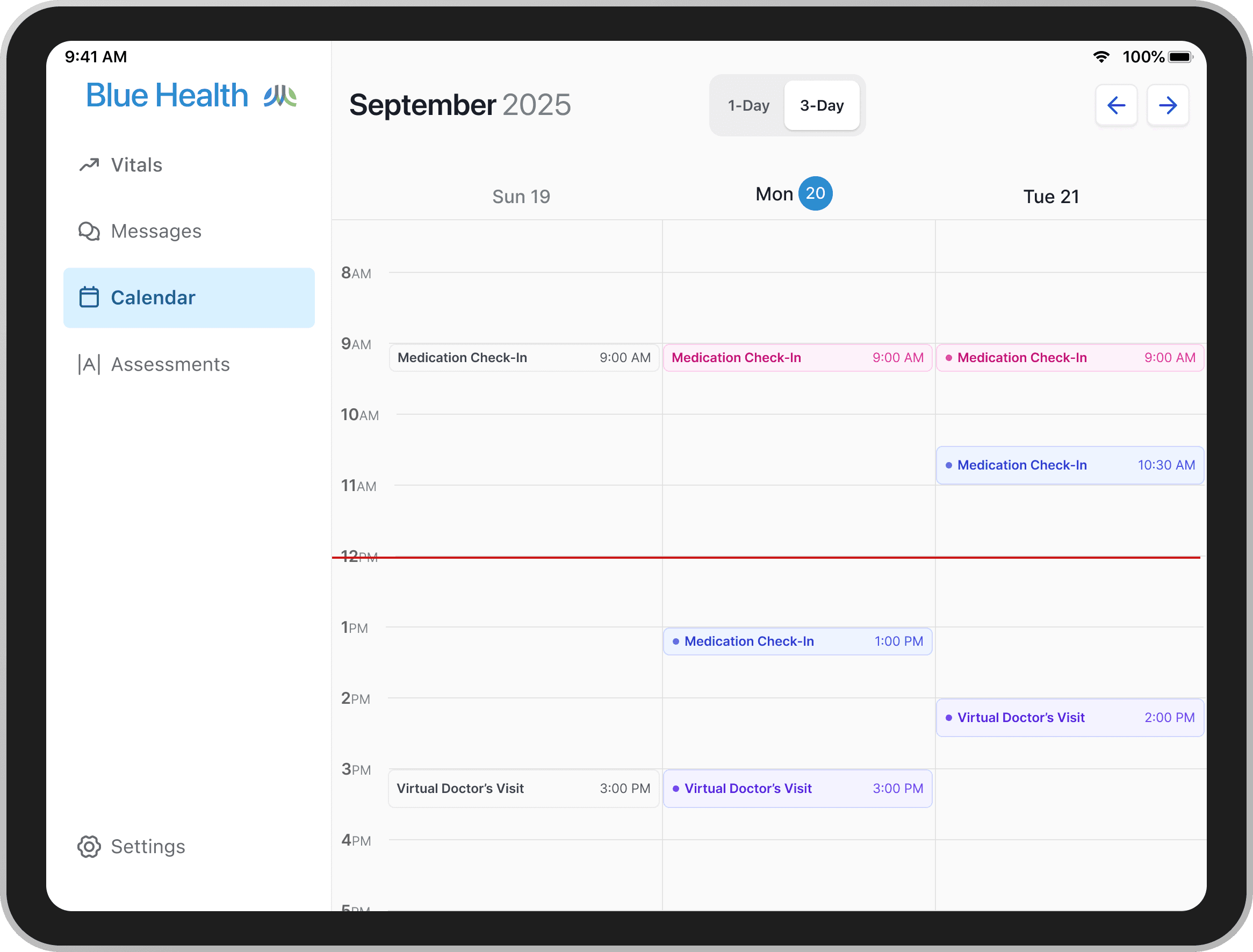
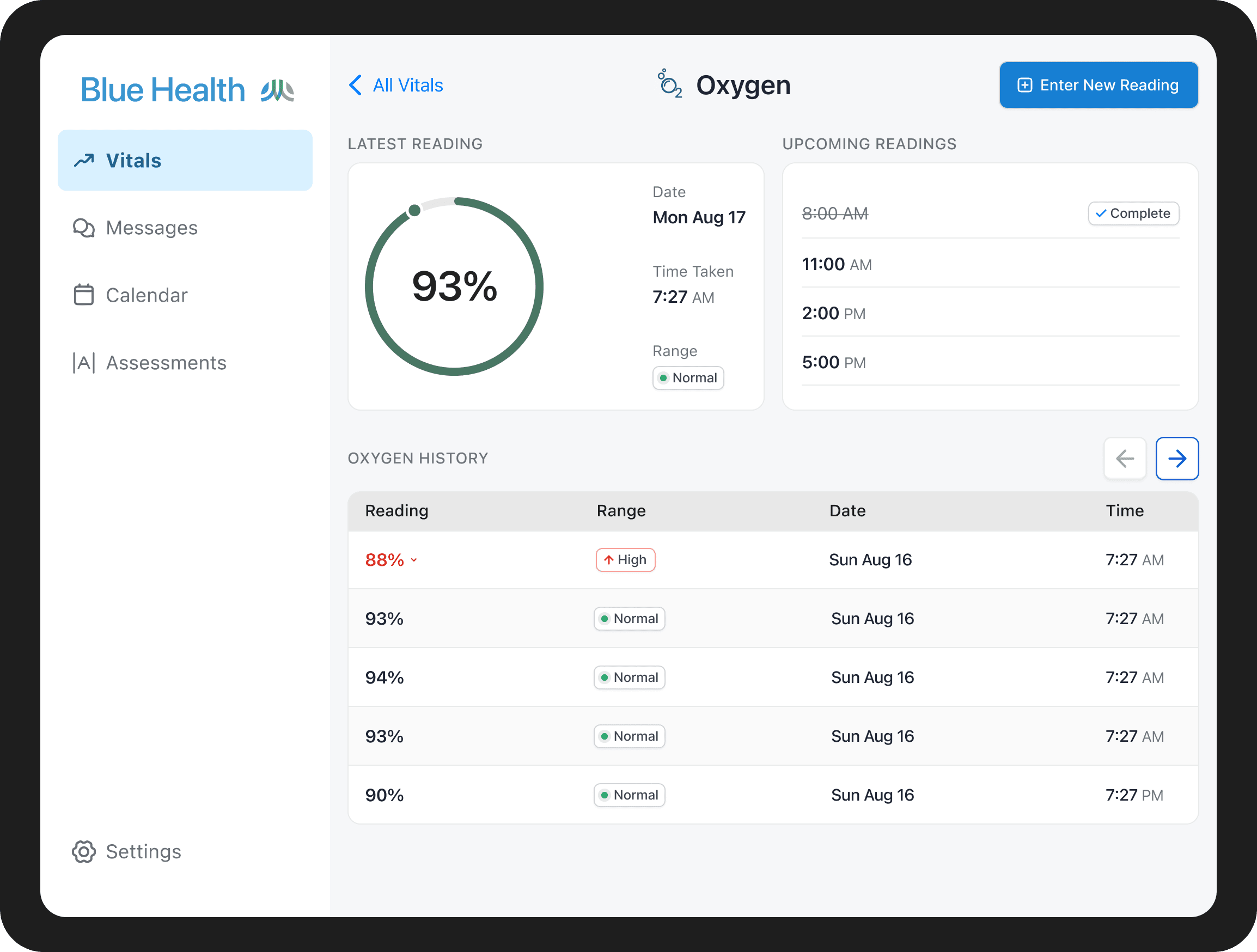
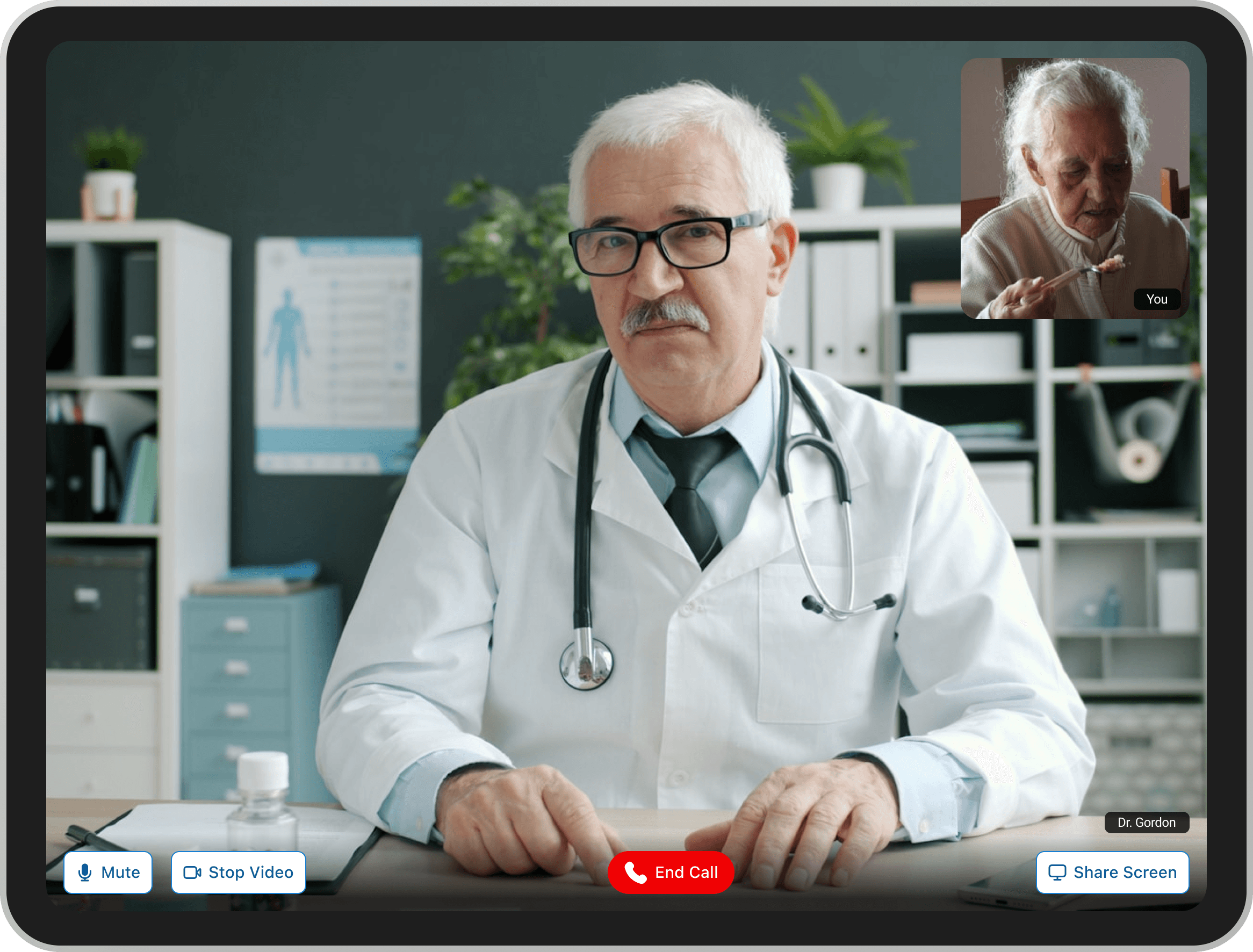
Testing made the path forward clear: patients needed familiar navigation, focused tasks, and a persistent sense of their care team's presence. The final design replaced the bottom nav with a persistent left rail, stripped the home screen back to only what mattered that day, and put the nurse connection one tap away at all times.
Design System
I built a design system from scratch across all three surfaces — two Salesforce apps with their own UI constraints, and a fully custom iOS app. Maintaining coherence across environments that different, with no prior system to reference, was the challenge worth pursuing.
Outcome
Forecasted to reduce unnecessary inpatient stays by 50 patients per month per hospital, saving $900K–$1.8M annually. Patient satisfaction held at 4/5 or better throughout the care episode. Engineering reported significantly fewer handoff gaps after the design system launched — sprint reviews shifted from design debates to acceptance criteria check-ins.